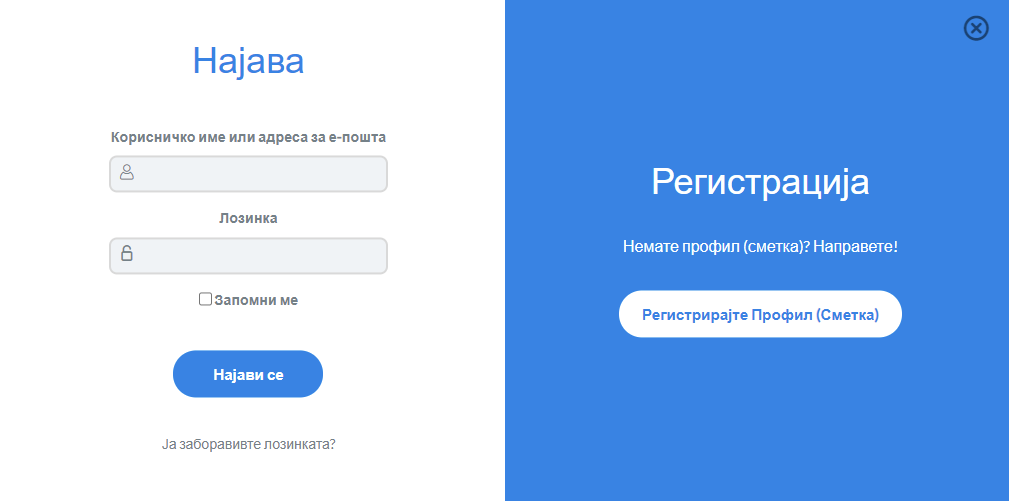

Qasuni linkut https://mepso.vss.mk përmes shfletuesit tuaj të internetit (Chrome, Firefox, Internet Explorer, Opera).
Kur të shfaqet faqja e internetit me një buton hyrjeje, duhet të klikoni mbi butonin „Regjistro Profil“ për të krijuar profilin tuaj personal në platformë.
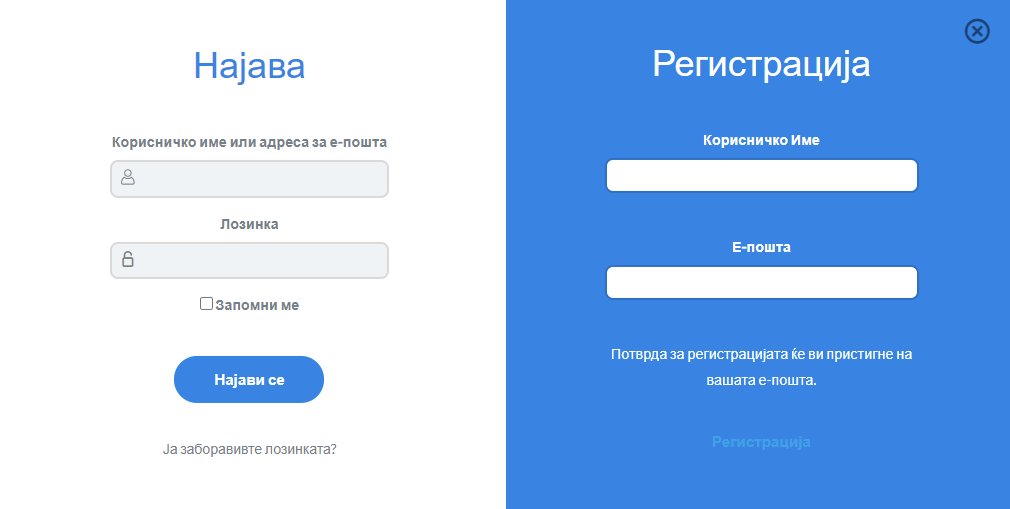
Pas klikimit mbi butonin për regjistrim profili, do të shfaqet një formular në të cilin duhet të plotësoni të dhënat tuaja personale (shih Figurën 2). Në fushën e e-mail-it duhet të plotësoni adresën tuaj korporative të e-mail-it, dhe nëse nuk keni një adresë korporative, plotësoni adresën që po përdorni. Në fushën „Username“ plotësoni një emër që do të shfaqet në profilin tuaj — mund ta përdorni edhe për hyrjen në platformë.
Pas krijimit të suksesshëm të profilit, në adresën tuaj të e-mail-it do të merrni një link për të konfirmuar adresën e e-mail-it dhe për të vendosur fjalëkalim, i cili do t’i japë mundësi profilit të qaset platformës.
Pas konfirmimit të adresës së e-mail-it, jeni i lirë të hyni në platformë me adresën tuaj të e-mail-it dhe fjalëkalimin.
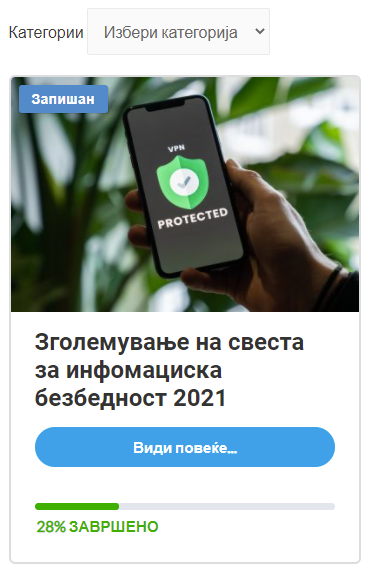
Pas hyrjes së suksesshme në platformë, do të shfaqet ekrani „Profili Im“, në të cilin mund të zgjidhni një nga trajnimet më poshtë. Për të vizituar trajnimin duhet të klikoni butonin „Shiko më shumë“.
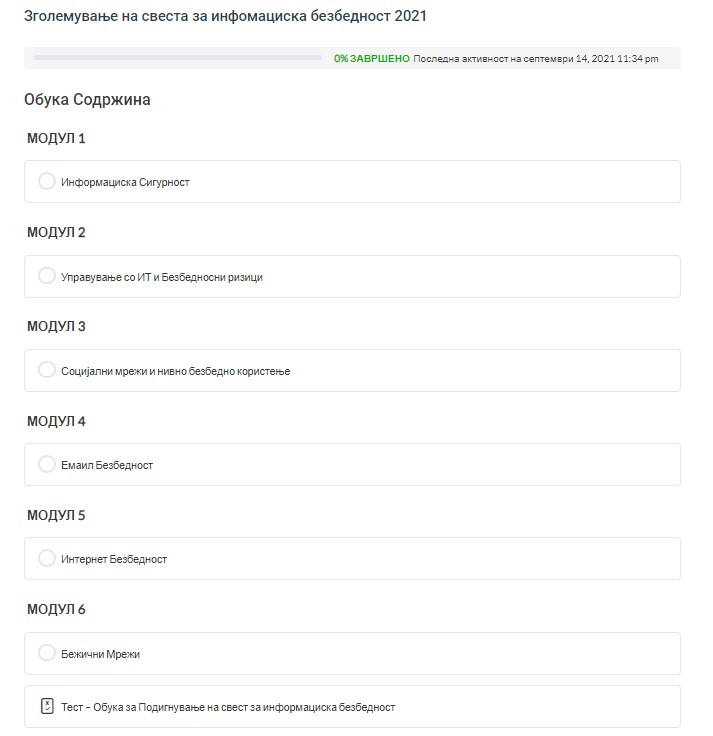
Duke klikuar butonin „Shiko më shumë“ merrni qasje në trajnimin që duhet të ndiqni. Pasi të keni hyrë në trajnim, duhet të klikoni mbi lidhjen nën Modulet për të filluar ndjekjen e trajnimit.
Pas përfundimit të trajnimit duhet të shtypni butonin „Shëno si të përfunduar“, pas së cilës platforma do t’ju ridrejtojë te kuizi për të kontrolluar njohuritë e trajnimit. Duhet t’u përgjigjeni të gjitha pyetjeve me një saktësi minimale prej 70% për të përfunduar me sukses trajnimin, dhe platforma do t’ju lëshojë një certifikatë. Nëse nuk e plotësoni kërkesën minimale prej 70%, duhet ta dëgjoni trajnimin përsëri dhe të bëni testin përsëri për të kapërcyer kufirin prej 70%.