"Instructions for using the online training platform - https://obuka.mk"

  • Access the link https://obuka.mk through your internet browser (Chrome, Firefox, Internet Explorer, Opera).
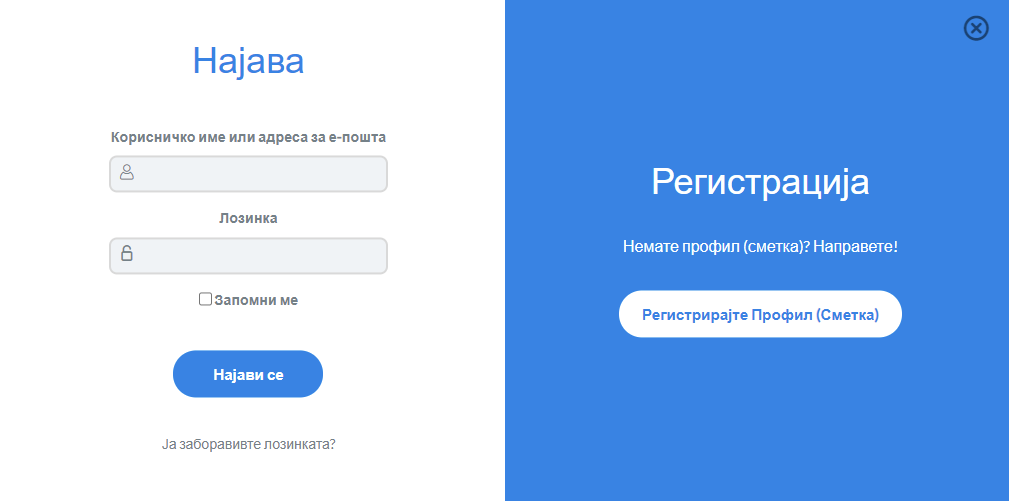
  • When the website that has a login button appears, you need to click on the “Register Profile” button in order to create your personal profile on the platform
Слика 1
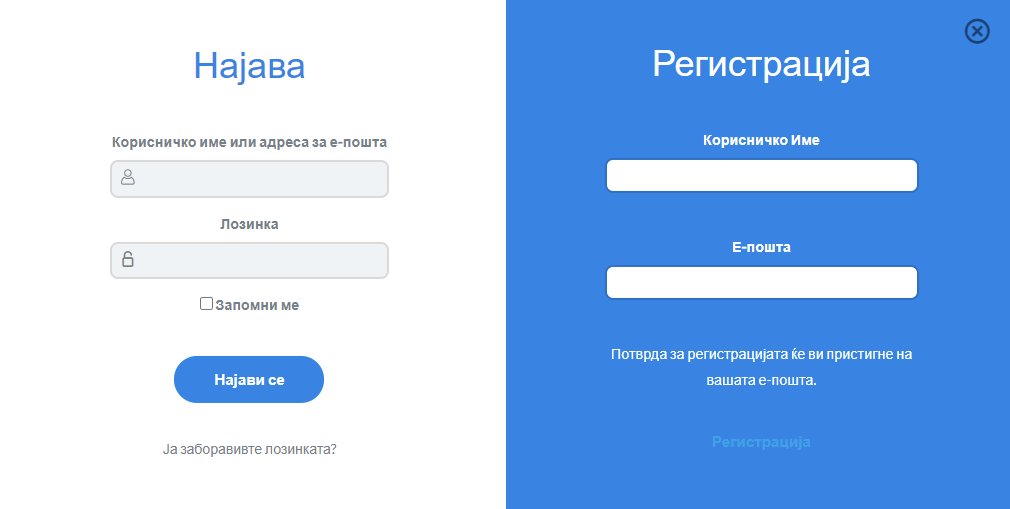
  • After clicking on the registration profile button on the platform, a form will appear in which you need to enter your personal data (see Figure 2). In the email field you need to enter your corporate email address, and if you do not have a corporate email address, in that case you enter the email address you are using. In the Username field you enter a name that will be displayed in your profile, you can also use it to login to the platform.
Слика 2
  • After successfully creating the profile on your email address you will receive a link to confirm your email address and to enter a password, which will enable the profile to access the platform.
  • After confirming your email address, you are free to log in to the platform with your email address and password.
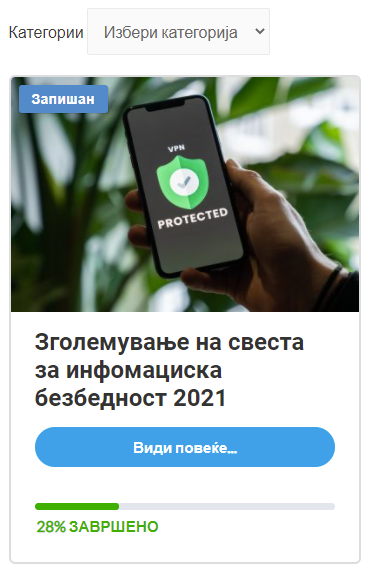
  • After the successful login on the platform, the ‘My Profile’ screen will appear, on which you can select one of the courses below (see Figure 3). To visit the course you need to click on the “See more” button.
Слика 3
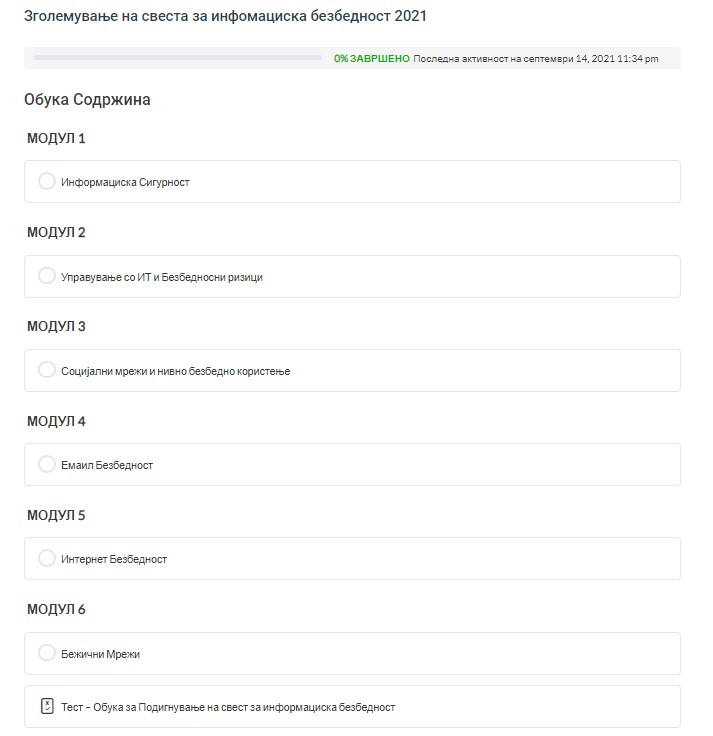
  • By clicking the “See more” button you get access to the course you need to attend. Once you have entered the course, you need to click on the link under the Modules to start listening the course.
  • After completing the course you need to press the button “Mark as completed” after which the platform will redirect you to the quiz to check the knowledge of the course where you need to answer all questions with a minimum of 70% accuracy in order to successfully complete the course and the platform will issue you a certificate for successfully completed course. If you do not meet the requirement for a minimum of 70% correctly answered questions, you need to listen the course again and take the short test again in order to exceed the 70% limit.